
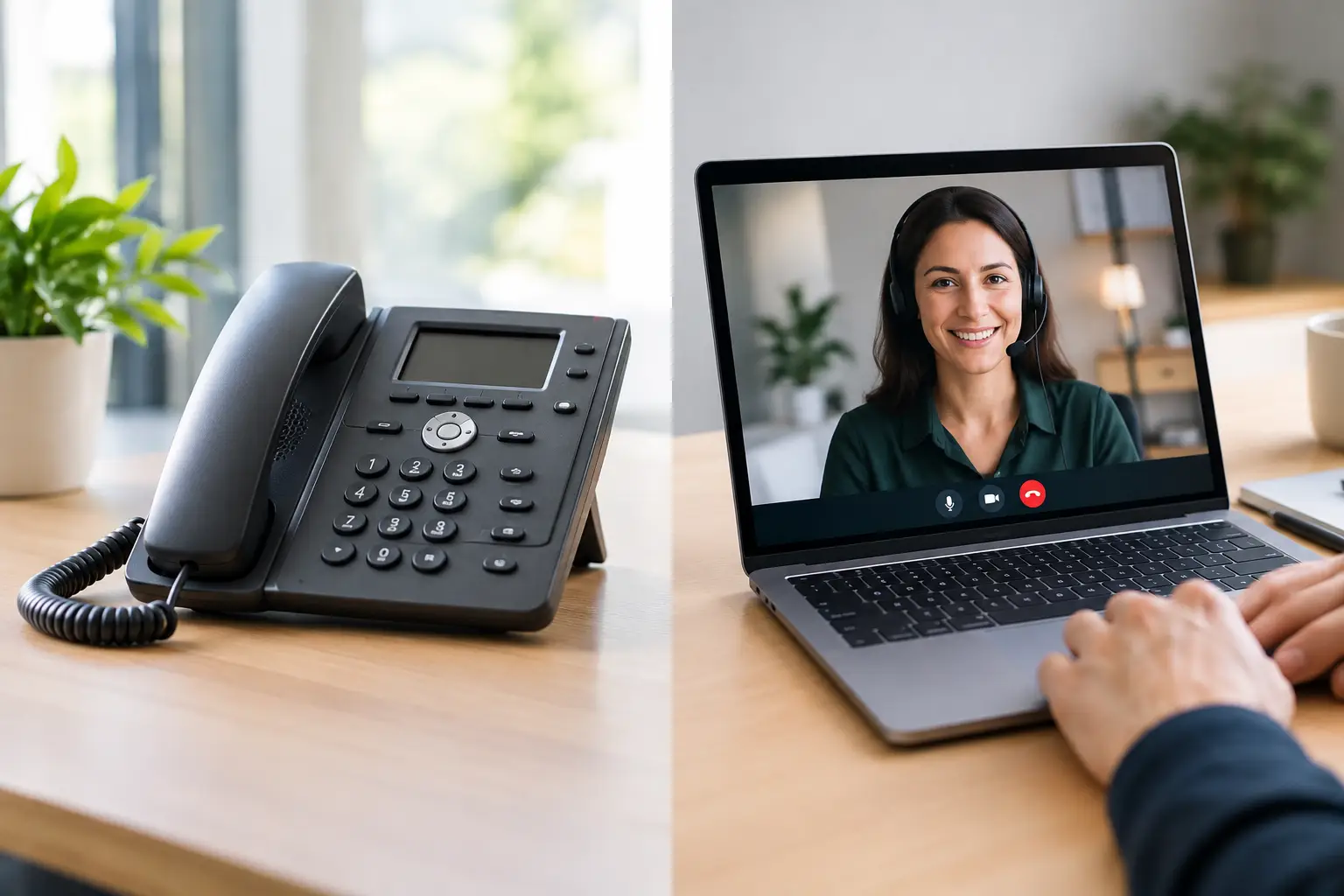
Desk Phones vs Softphones: Which Fits Your Team?

Updated: Nov 16
A receptionist answering a steady call queue has different needs than a consultant taking client calls from a home office. That is why desk phones vs softphones is not really a technology debate. It is a business workflow decision. The right choice depends on where your people work, how they handle calls, and how much consistency matters at each position.
Many small businesses assume they must choose one option for everyone. Usually, they do not. A well-planned business phone system can support physical phones where they make sense and software-based calling where mobility is more valuable. The goal is not to buy the newest-looking option. It is to give each employee a dependable way to communicate without paying for features they will not use.
What Is the Difference Between Desk Phones and Softphones?
A desk phone is a physical telephone assigned to a desk, reception area, conference room, or other fixed location. Modern desk phones often connect through an internet-based phone system, but they still provide the familiar handset, buttons, display, and speakerphone experience people expect from an office phone.
A softphone is an application on a computer, smartphone, or tablet that lets a user place and receive business calls through the company phone system. It can use a work extension and business caller ID without requiring the employee to give out a personal cell number.
Both options can support core functions such as extension dialing, transfers, voicemail, call forwarding, auto-attendant menus, and call presence. The difference is largely in how the employee accesses those tools. A desk phone is built for a location. A softphone is built for the user.
Desk Phones vs Softphones: The Day-to-Day Trade-Offs
The best comparison starts with the actual work being done. A phone system should make common tasks easier, not ask employees to change their habits just to accommodate a feature list.
Desk phones provide consistency at fixed workstations
For front desks, shared offices, medical or professional service practices, warehouses, and customer service teams, a desk phone can be the more practical tool. It is always in the same place, visibly available, and ready for the next call. A receptionist can see line activity, transfer calls quickly, use a headset, and keep a conversation separate from computer notifications.
Physical phones also reduce training friction for employees who are used to traditional office calling. Features such as transfer, hold, park, intercom, and voicemail are often easier to access with dedicated buttons than by clicking through an app during a live call.
There is also a practical reliability advantage. Desk phones are designed for calling first. They do not depend on a laptop battery, a phone being on silent, or an employee remembering to open an application. With properly configured internet service, network equipment, and power backup, they are a dependable choice for call-heavy roles.
The trade-off is flexibility. A desk phone stays at the desk unless calls are forwarded or paired with a mobile app. There is also hardware to purchase, install, and replace over time. That cost is worthwhile for some roles, but it is not necessary for every employee.
Softphones give mobile and hybrid staff more freedom
Softphones are a natural fit for employees who work from home, travel between locations, visit customers, or divide time between office and field work. A sales representative can call from a mobile app using the company number. A manager can answer an important office call from a laptop at home. The customer sees a professional business caller ID, while the employee keeps a personal mobile number private.
For teams already using computers throughout the day, a softphone can also place calling alongside chat, meetings, contacts, file sharing, and status information. This can be useful when an employee needs to see whether a colleague is available before transferring a call or wants to move from a phone conversation into a meeting.
The limitations are worth considering. Softphone call quality depends on the device, headset, internet connection, and app settings. If a laptop is overloaded, Wi-Fi is weak, or notifications are poorly managed, calls can suffer. A softphone may also be less comfortable for someone who spends hours each day on the phone and prefers a traditional handset or dedicated headset setup.
Softphones can reduce hardware spending, but they are not automatically free. Many platforms charge per user, and businesses may need quality headsets, mobile device policies, and additional support for remote users. The real question is whether those costs support a more flexible way of working.
When a Mixed Setup Makes the Most Sense
For many small businesses, the answer is neither all desk phones nor all softphones. A mixed setup is often the most sensible path.
Keep desk phones at the reception desk, in conference rooms, at shared workstations, and with employees who process a high volume of inbound calls. Give softphones to owners, managers, sales staff, remote employees, and anyone who needs their extension to follow them beyond the office.
This approach avoids an all-or-nothing purchase. It also protects the experience of callers. A customer who reaches the main number can still use the same auto-attendant, extension directory, and voicemail system, whether the person answering is at a desk in Media or working from another location.
The important part is making sure both tools operate on the same business phone system. If employees use disconnected personal cell numbers, separate office lines, and unrelated apps, callers can get bounced around and nobody has a clear view of where calls are going.
Questions to Ask Before You Choose
Start with call patterns, not product names. How many people answer calls all day? How many employees work away from a fixed desk? Does the business have a front desk that needs visible call controls? Are calls transferred frequently between departments? Do employees need to use a business number from their own mobile phones?
Also consider what happens when the office loses power or internet service. Internet-based desk phones and softphones both rely on connectivity, but a good setup can include call forwarding, mobile backup options, and a plan for handling outages. This is a discussion worth having before a disruption, not during one.
Security and account management matter as well. Softphone users should have secure logins, controlled access, and a simple process for removing access when an employee leaves. For desk phones, decide which phones are assigned to individuals and which belong to a shared location or function.
Finally, think about growth. A two-person office may only need a main number, two extensions, and voicemail. A growing organization may need departments, ring groups, after-hours routing, call queues, and mobile access. You should be able to add those capabilities when the business needs them, without replacing everything you just purchased.
Cost Should Be Clear, Not Complicated
Phone system pricing can become confusing when providers separate hardware, licenses, calling plans, support, installation, and feature packages in ways that are hard to compare. Ask for a clear view of one-time costs and ongoing monthly costs before making a decision.
Desk phones generally involve a higher upfront investment because there is equipment to provision. Softphones may lower that initial cost, especially for remote workers, but recurring user licensing and headset purchases can change the picture. Neither option is automatically cheaper in every situation.
A fair recommendation should explain why a particular employee needs a physical phone, a softphone, or both. If someone only takes an occasional call from a laptop, an expensive desk phone may be unnecessary. If someone manages a busy front desk, relying only on a mobile app may create more frustration than savings.
Link Business Communications helps businesses sort through these choices without turning a straightforward decision into a telecom puzzle. The focus should be on the number of users, how calls move through the business, and the tools people will actually use.
Choose for the Role, Not the Trend
Desk phones remain a strong choice when a role is tied to a place and calls are central to the job. Softphones are valuable when the employee, not the desk, is the center of the workday. Both can serve the same business number and extension system, so there is no need to force every role into one model.
A good phone setup lets the receptionist answer confidently, the remote employee stay reachable, and the owner know that important calls will not be missed. Start there, and the right mix of desk phones and softphones becomes much easier to see.


Comments